- Find your binary and run from the command line as administrator/root (for ICMP listener)
- Watch the pings roll in
- Browse to http://localhost:14445 and watch the results
- Build from source with
go build- Mac/Linux
- Run duck with
sudo ./duck <target_ip>
- Run duck with
- Windows
- Run duck from administrator command prompt with
duck.exe <target_ip>
- Run duck from administrator command prompt with
- Mac/Linux
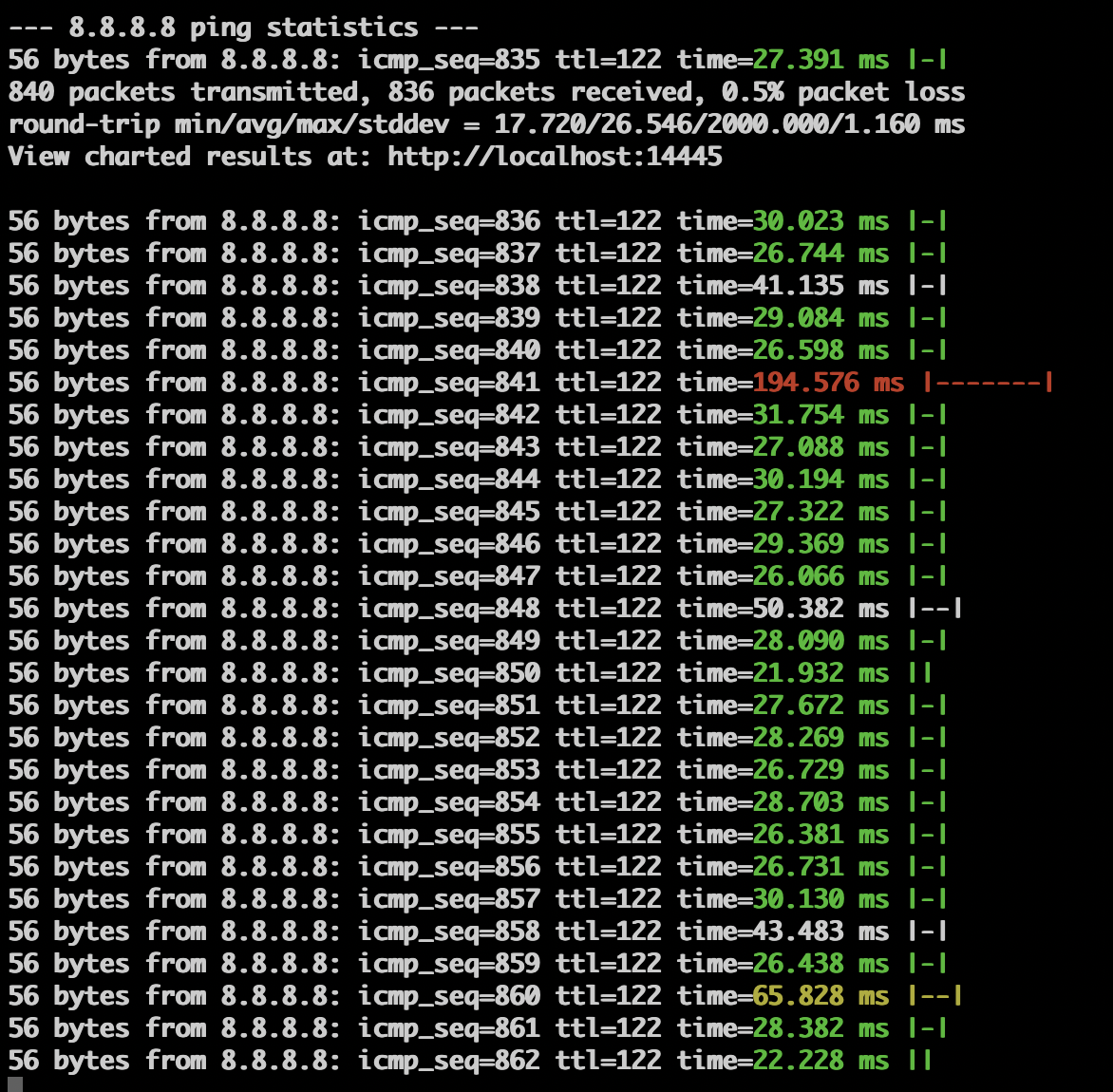
- Be a better, in-place replacement for terminal
pingcommand - Capture high latency events in the background and make them clear on review
- In-terminal ASCII latency charting
- Colorization of latency in terminal (Mac and Linux only)
- Statistics printed every 30 seconds
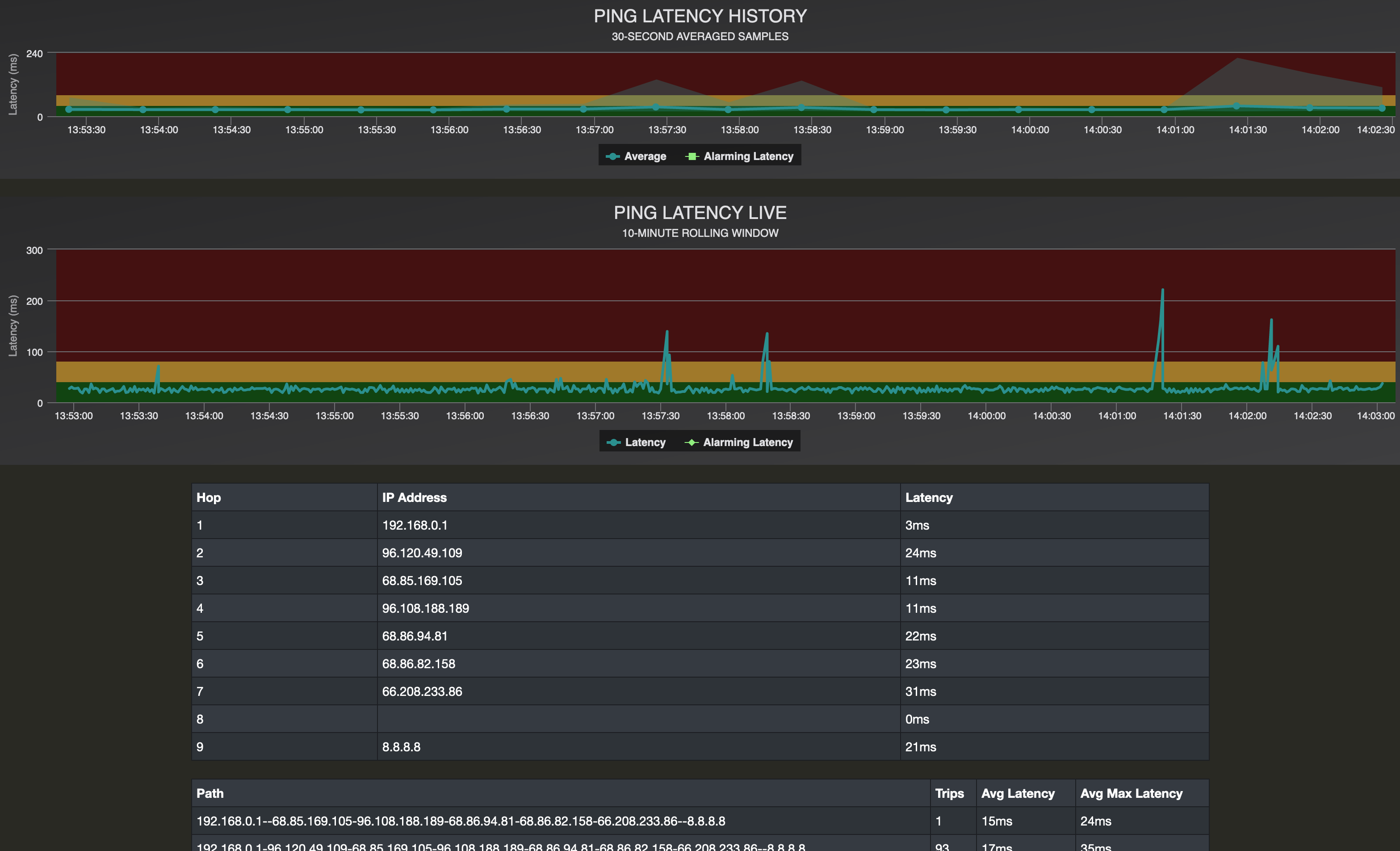
- Live web dashboard for visualizing latency over extended tests
- Long-term chart with 30-second averaged samples
- Short-term chart (last 10 minutes) with live results
- Traceroute results
- Traceroute Path tracking with latency averaging
- Individual traceroute host tracking with latency averaging and incident counting
- Keeps history of ping performance older than 10 minutes as derezzed 30-second sample averages
- Traceroute performed every 30 seconds
- Paths stored and path traversal tracked
- Host DNS lookup
- Average and Max latency tracked over time
- Stores pings, paths, and hosts to JSON files every minute
- Derezzing of ping results after 10 minutes
- Exception to derezzeing is any high-latency event, with 5 minutes of high resolution context on either side
- Variable control from WebUI
- Payload size
- Latency threshold adjustments
- Jitter visualization